Design Aesthetic 9:16 WhatsApp Stories in Seconds
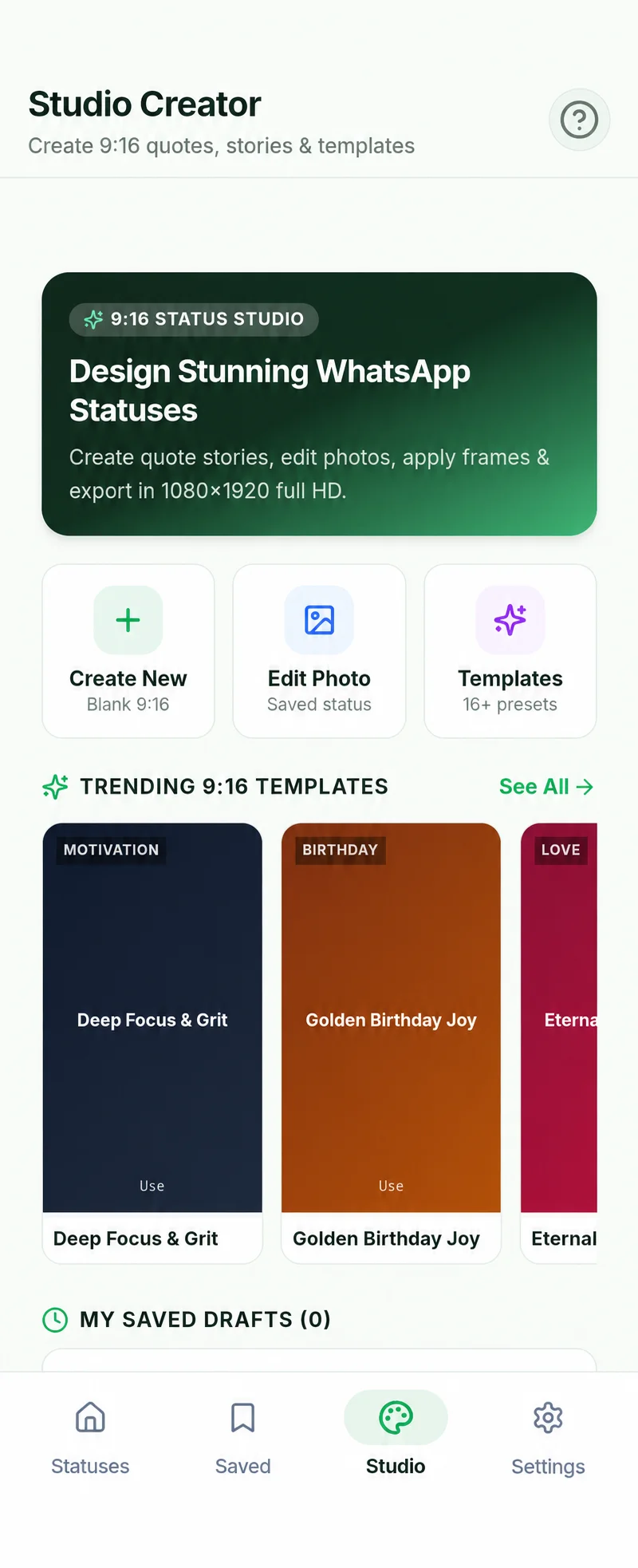
Don’t settle for plain text on a solid color. Create viral quote cards, motivational posters, and promotional announcements with the built-in 9:16 Status Studio editor.

Studio-Grade Vertical Story Tools
Status Studio gives you full artistic freedom to express your thoughts without needing complex external design software:
What Can You Create in Status Studio?
1. Daily Quotes & Affirmations
Share daily thoughts, book excerpts, and motivational life quotes with stylish typography and contrast drop shadows that pop on mobile screens.
2. Business Flash Announcements
Promote weekend flash sales, discount coupons, and store opening hours for your WhatsApp Business audience with vibrant gradient cards.
3. Festival & Greeting Cards
Design personalized birthday wishes, festive greetings, and holiday cheer without relying on generic low-resolution internet images.
4. Repost Enhancements
Take a saved status photo, add your own commentary, thoughts, or reaction text overlay, and repost it seamlessly to your status.
Common Questions About Status Studio
What is the canvas resolution of Status Studio exports?
Status Studio exports pixel-perfect 1080x1920 (9:16 aspect ratio) high-resolution JPEG images. This is the optimal dimension for WhatsApp Status, Instagram Stories, YouTube Shorts, and Facebook Stories.
Can I use my own photos as a background in Status Studio?
Yes. In addition to our curated vibrant gradient and solid color palettes, you can import any photo from your phone gallery or use any saved WhatsApp status photo as your canvas background.
Are my story drafts saved automatically?
Yes. When you are designing a story card in Status Studio, your text, font choices, and background selections are automatically saved locally on your phone so you can resume editing anytime.
Related Guides & Resources
WhatsApp Status Saver
Save viewed personal WhatsApp status photos and videos in original HD quality.
WhatsApp Business Saver
Save supplier product catalogs, promotional flyers, and business updates.
How It Works Guide
Step-by-step walkthrough of Android 11 to 16 Storage Access Framework setup.
Create Your First 9:16 Story Card Today
Download WP Status Saver from Google Play. Free vertical story creator and status downloader in one app.